
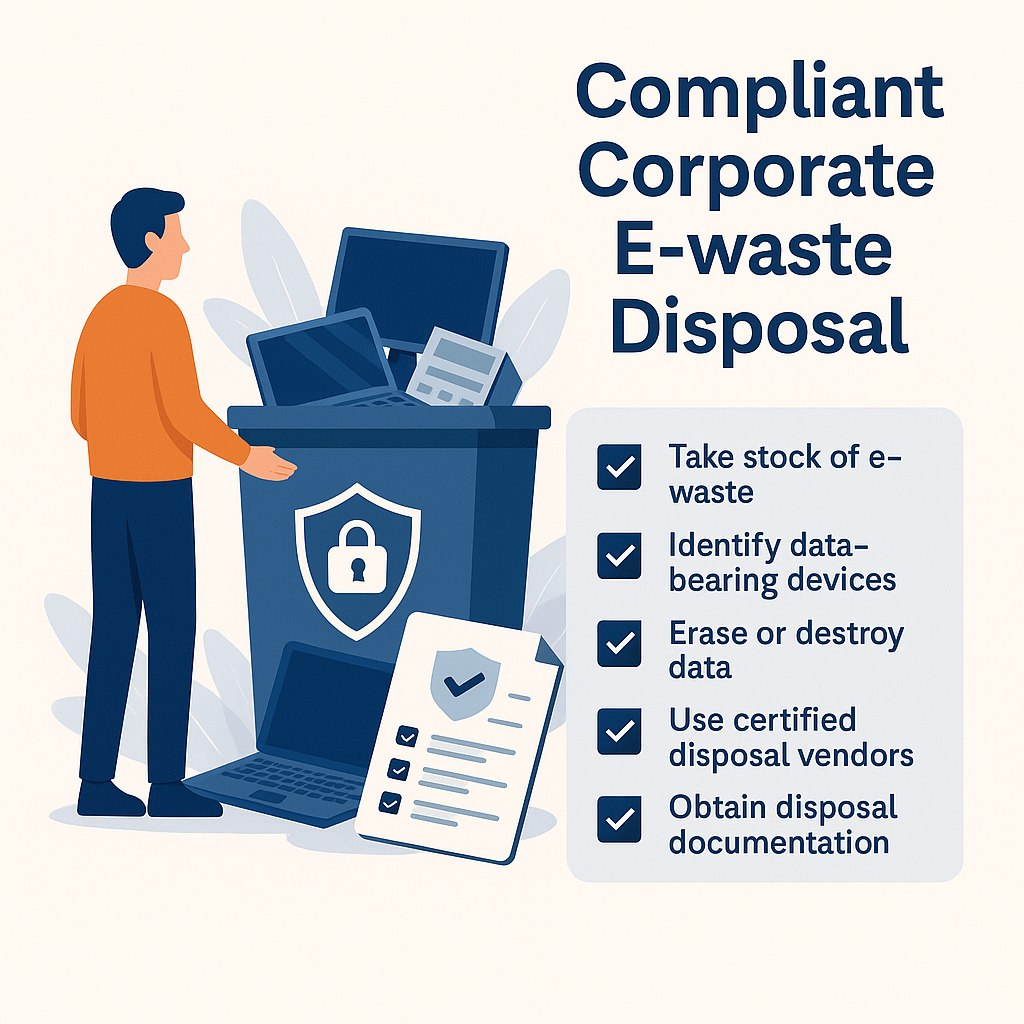
E Waste Disposal in Singapore: A 7-Step Compliance Guide
Singapore throws out roughly 60,000 tonnes of electronic waste a year, and a sizeable chunk of it comes from offices, old laptops, servers, and phones cleared out during upgrades and relocations. For a business, getting rid of that hardware is rarely just a logistics job. Two things usually ride on it: the data still sitting on the drives, and the company’s obligations under Singapore’s environmental and data-protection rules.
Handled carelessly, end-of-life IT turns into a liability. A discarded laptop can leak personal data and put you on the wrong side of the Personal Data Protection Act (PDPA). Hardware dumped through the wrong channel works against the Resource Sustainability Act (RSA) and muddies your own ESG reporting. This guide walks through a disposal process that keeps both covered, in seven steps, with a checklist your team can run through at the end.
First, know where your business sits under the rules
Before the steps, one distinction clears up most of the confusion.
Singapore’s e-waste system runs on Extended Producer Responsibility (EPR), introduced under the RSA in July 2021. ALBA is the scheme operator appointed by NEA to collect regulated consumer e-waste, the everyday items most people own. Regulated e-waste covers ICT equipment, large household appliances, electric mobility devices, batteries, and lamps. Anything outside that list, things like fans, speakers, or small kitchen appliances, is non-regulated.
Here’s the part that trips companies up. If your business is disposing of its own unwanted equipment, upgrading office computers, clearing out server gear, you’re a user, not a producer. The direct EPR obligations that importers and manufacturers carry don’t fall on you. What you do need is a disposal trail that holds up: proof the data was destroyed for PDPA purposes, and proof the hardware was recycled responsibly for ISO 14001 and ESG reporting. That’s exactly what a licensed collector gives you.
| Regulated e-waste | Non-regulated e-waste | |
|---|---|---|
| Examples | Laptops, desktops, servers, monitors, phones, printers, batteries, lamps | Fans, speakers, small kitchen appliances, electric toys |
| Disposal route | NEA-licensed collector / ALBA channels | General recyclers or non-regulated e-bins |
| Data risk | Often high (storage devices) | Usually none |
With that straight, here’s the process.
Step 1: Take stock of what you’re disposing
You don’t need a formal asset register to start. You just need to know what’s leaving the building. Walk the office and store room and note the obvious candidates:
- Laptops, desktops, monitors
- Servers, network switches, routers
- Printers, copiers, mobile devices
- Storage devices (HDDs, SSDs, external drives)
Where you can, jot down serial numbers and rough working condition. It pays off twice: your disposal partner can quote accurately, and you get a list to check the certificate against later. Even a quick spreadsheet beats a pile of unlabelled boxes.
Step 2: Separate the data-bearing devices
Not everything stores data, and treating every item as high-risk just slows you down. Split the pile in two.
Data-bearing: laptops, desktops, servers, phones, external drives, and, easily forgotten, multifunction printers and copiers with internal hard drives. Non-data: monitors, keyboards, mice, cables.
Put your attention on the first group. Those are the items that need secure handling and a destruction record. The rest just need responsible recycling.
Step 3: Decide how the data gets destroyed
This is the step that separates a clean disposal from a future incident, so it’s worth slowing down on.
Under the PDPA, you’re responsible for protecting personal data in your control and disposing of it properly once it’s no longer needed. In practice, for end-of-life IT that means making sure data is irreversibly destroyed before a device leaves your hands or gets passed on for reuse. There are two accepted routes, and the right one depends on the device.
- Data erasure (software wiping). The preferred option for working devices you want to reuse, resell, or hand back at lease end. Done to a recognised standard such as NIST 800-88, erasure makes the original data unrecoverable while keeping the hardware intact, so it holds its value.
- Physical destruction. Used for faulty drives, drives that fail to wipe, or high-security data. This means shredding or degaussing, after which the drive is scrap.
Whichever method is used, insist on a Certificate of Erasure or Destruction, and check that it lists serial numbers, the method, the standard followed, and the date. A certificate that just says “data destroyed” with no serials is close to useless in an audit. Good providers turn these around within about a week.
One practical note: erasure is usually the better default. It satisfies the PDPA, costs less than people expect, and lets functional gear be remarketed, which can offset your disposal cost rather than adding to it.
Step 4: Appoint an NEA-licensed disposal partner
The vendor you pick carries your compliance, so vet them properly. At minimum they should be:
- Licensed by NEA to handle e-waste (a General Waste Collector or General Waste Disposal Facility licence)
- Experienced with business IT assets, not just household drop-offs
- Able to provide secure transport and chain-of-custody documentation
Certifications like ISO 9001, ISO 14001, R2v3, and bizSAFE3 aren’t legally required, but they’re a fair shortcut for judging how disciplined a provider’s process actually is. Ask to see the licence number and a sample certificate before you commit.
Step 5: Lock down collection and transport
Collection is the moment of highest exposure, the window where devices are out of your sight but not yet destroyed. Tighten it with a few requirements:
- GPS-tracked vehicles
- Tamper-evident bins or sealed containers
- CCTV-monitored handling at the facility
- A signed manifest listing every item collected
Book the pickup for a time when someone from your side can be present to sign off. That signature, matched against your Step 1 list, is what closes the chain of custody.
Step 6: Check that recycling is actually responsible
“Recycled” can mean very different things. A credible partner should be able to show you that they:
- Segregate hazardous components such as batteries before processing
- Channel materials to qualified downstream recyclers
- Recover metals and plastics through proper processes rather than dumping or export
- Provide a recycling report on request
Lithium-ion batteries deserve a specific mention. They’re a fire and contamination risk and need to be handled separately, not tossed in with general e-waste. This stage also feeds your sustainability and CSR reporting, so the documentation here isn’t just a formality.
Step 7: File the records for compliance
The job isn’t done when the truck leaves. Keep the paperwork:
- Certificates of Erasure or Destruction
- Recycling or disposal reports
- Chain-of-custody and collection manifests
These are what you’ll reach for during a PDPA review, an ISO audit, or an internal asset reconciliation. Store them somewhere finance and IT can both find, and update your asset records to mark the items as retired.
Corporate e-waste disposal checklist
A quick version your team can run through each time:
Get approval
- [ ] Sign-off before disposing of any company equipment
List the equipment
- [ ] Write down every item
- [ ] Note serial numbers and asset tags
- [ ] Take photos
Flag the data risk
- [ ] HIGH: computers, servers, phones with company data
- [ ] LOW: monitors, keyboards, mice
- [ ] Ask IT if unsure
Choose a disposal partner
- [ ] Use the approved vendor list
- [ ] Verify the NEA licence
Schedule a secure pickup
- [ ] Book when someone can be present
- [ ] Stage items in a secure, ideally CCTV-covered area
- [ ] Get a signed receipt with item details
Pick the data-destruction method
- [ ] Working devices: data wiping
- [ ] Faulty or sensitive devices: physical destruction
- [ ] Request the certificate
File the records
- [ ] Certificates received (usually within 1 to 2 weeks)
- [ ] Serial numbers match your list
- [ ] Documents filed
- [ ] Asset records updated
Frequently asked questions
Does my business have legal obligations under the Resource Sustainability Act? If you’re only disposing of your own old equipment, you’re treated as a user, not a producer, so the direct EPR obligations don’t fall on you. Those sit with manufacturers and importers. Your responsibility is to dispose through a licensed channel and keep the records.
Is it free to dispose of office e-waste? It depends on volume. Larger quantities of recyclable material can sometimes be collected at no cost, occasionally with a rebate, while smaller ad-hoc pickups usually carry a collection fee. Functional equipment may also have resale value that offsets the cost.
Do I need a certificate of destruction? For any device that held company or personal data, yes. It’s your evidence for PDPA compliance and audits. Make sure it lists serial numbers and the destruction method, not just a generic line.
What happens to hard drives with sensitive data? They’re either wiped to a standard like NIST 800-88 if the device is being reused, or physically shredded or degaussed if it’s faulty or high-security. Either way you should get certification tied to the specific drives.
Regulated or non-regulated, how do I tell? Most business IT, laptops, desktops, servers, monitors, phones, falls under regulated e-waste and should go through an NEA-licensed collector. Smaller miscellaneous electronics may be non-regulated. When in doubt, treat data-bearing devices as the priority and let a licensed provider sort the rest.
A simpler way to handle it
A structured disposal process protects your data, keeps you compliant, and supports your sustainability goals, but running it well takes the right partner. Arkiva is an NEA-licensed ITAD and data-destruction specialist in Singapore, handling secure erasure, certified destruction, and responsible recycling end to end, with serial-level certificates issued within seven working days. If you’ve got a batch of equipment to clear, get in touch for a quote.